
Create and share
Draw Music App: How to Draw Music on Android with Inkbeat
A draw music app turns what you draw into a melody: each line plays from left to right, and higher lines play higher notes. Inkbeat (Draw Music Maker: Inkbeat) is a free draw music app for Android with nine instruments, drum and bass layers, eight moods and 44 ready-made designs. Every note snaps to a scale, so your drawing always sounds in tune, and you can export it as a video, audio or MIDI.
On this page
Doodle music sounds like a gimmick until you try it. Then you find yourself drawing "one more" melody for half an hour. This guide is a tour of the Inkbeat app: what each part does, how to draw your first song, and how to get it off your phone. If you'd rather test the idea first, you can try it in your browser with our free online version.
What a draw music app does
The canvas is a loop of 4 bars of 16 steps. Time runs left to right and height is pitch. When you press play, a playhead sweeps across the drawing and plays each point as a note. You can tap the timeline to play from any point.
The important part is the scale. Every note snaps to the scale of the mood you choose, so there are no wrong notes to hit. Draw it wrong, it still sounds right. That makes a drawing music app a good fit for people who have never played an instrument and for musicians who want a quick sketchpad for ideas. Our music theory drawing guide explains why it works.
Inkbeat features at a glance
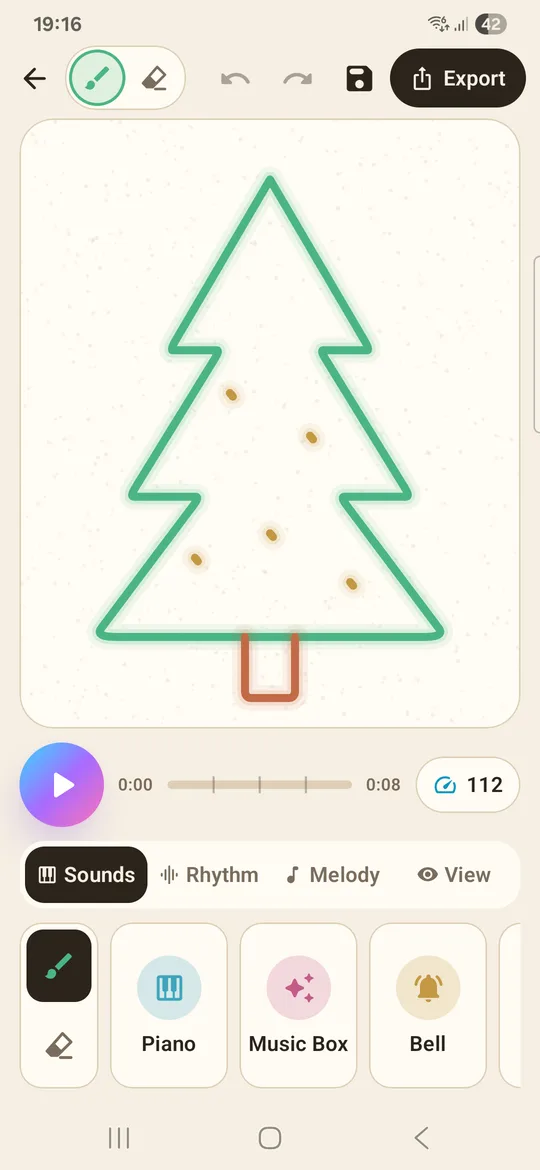
Nine instruments, one colour each
Pick a colour and you pick an instrument: piano, music box, bell, synth, marimba, pluck, soft keys, flute and guitar. Mix colours on one canvas and they play together, so a piano melody can sit on top of a soft-keys line and a plucked bass-like part.
Line mode, block mode and editing
Line mode lets you draw freely, so curves become smooth melodies. Block mode places notes on the grid, closer to a classic step sequencer, which is handy for precise rhythms. An eraser, undo and redo make it easy to fix one part without starting over.
Rhythm: drums, bass and arpeggio
The Rhythm tab adds a backing track under your drawing. Tap Drum Kit for an instant beat, or build your own from kick, snare, clap, hi-hat, bass and arpeggio layers. Tempo comes in five tiles: Slow 80, Chill 100, Normal 120, Fast 140 and Hyper 160 BPM.
Melody: eight moods and 12 keys
Moods are scales with friendly names: Happy (major pentatonic), Dreamy (minor pentatonic), Classic (major), Moody (minor), Mystery (harmonic minor), Jazzy (Dorian), Blues and Zen (Japanese scale). You can play any of them in all 12 keys.
44 ready-made designs
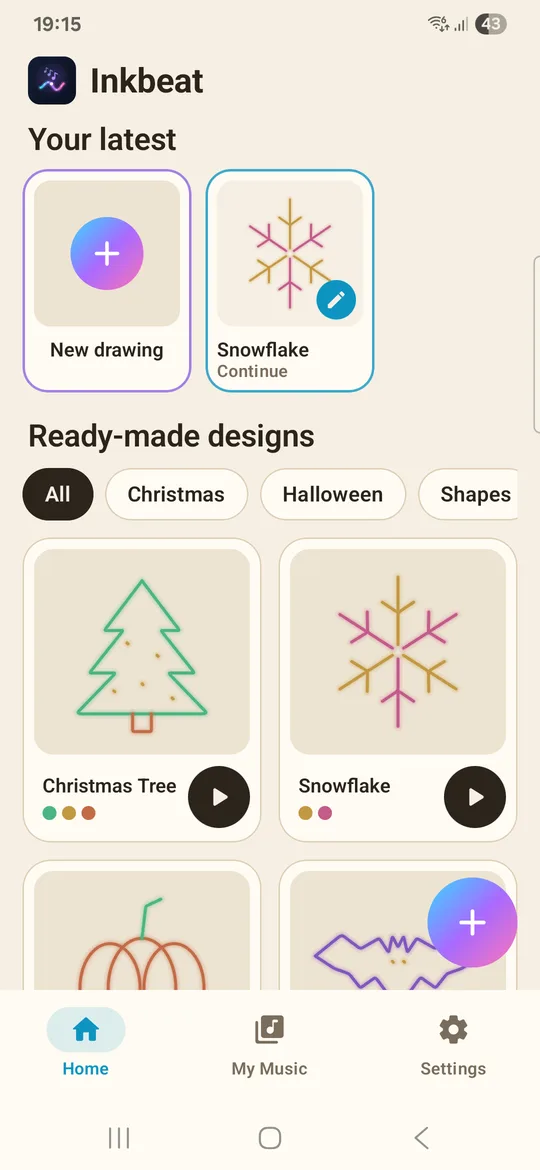
Not sure what to draw? The Home screen has 44 designs: hearts, stars, rainbows, animals, rockets, fireworks, plus Christmas and Halloween sets. Press play to hear one, then remix it by changing colours, mood or rhythm, or by drawing on top. Some designs unlock by watching a short video.
Themes, languages and offline use
Choose a light or dark paper theme. The app is available in 18 languages, works offline and needs no account. It is free with ads.
How to draw music on Android: your first song
- Install Inkbeat. Get Draw Music Maker: Inkbeat free from Google Play and open it. No sign-up is needed.
- Start from a design or a blank page. Tap a design to hear what the app can do, or open a blank canvas.
- Pick a mood. Start with Happy. It is a pentatonic scale, so everything you draw will sound pleasant.
- Draw a melody. Choose a colour, then draw a line from left to right that rises and falls. Use a second colour for a lower line.
- Add rhythm. Open the Rhythm tab, tap Drum Kit, and choose a tempo. Add bass or arpeggio if the song feels empty.
- Play, tweak and save. Press play, fix what you don't like with the eraser or undo, and your song is kept in My Music.
Tip: Try the same drawing in Moody or Mystery before you give up on it. A melody that sounds plain in a major scale can turn dramatic in harmonic minor.
Export: video, audio or MIDI
When your loop is ready, the Export & Share screen gives you three formats:
- Video (MP4): a vertical 1080x1920 video of your drawing playing in sync, sized for TikTok, Instagram Reels and YouTube Shorts. Exported videos carry a small "Made with Inkbeat" watermark.
- Audio (WAV): for a ringtone, a video edit or any project that needs a sound file.
- Music Notes (MIDI): open the notes in GarageBand, FL Studio, BandLab or another music app to keep producing.
For the full posting workflow, see how to turn a drawing into a music video.
Draw music app vs the online tool
| Online tool (this site) | Inkbeat app (Android) | |
|---|---|---|
| Price | Free, no sign-up | Free with ads, no account |
| Instruments | 4 (piano, bell, synth, marimba) | 9 |
| Moods (scales) | 4 | 8, in all 12 keys |
| Rhythm | Drum beat on/off, tempo slider | Drum Kit, 6 layers, 5 tempos |
| Starter shapes | Heart, star, wave | 44 designs |
| Export video, WAV, MIDI | No | Yes |
| Works offline | Runs in your browser | Yes |
The online draw music tool is perfect for a quick try on any device, including a computer or an iPhone browser. The draw music app is where you build full songs, keep them in My Music and share them as videos.
Questions people ask
Is there an app that turns drawings into music?
Yes. Inkbeat (Draw Music Maker: Inkbeat) is a free Android app that plays your drawing as a melody: left to right is time and height is pitch, and every note snaps to a scale.
Is the Inkbeat draw music app free?
Yes, it is free with ads. Some ready-made designs unlock by watching a short video. There is no account to create.
Does the draw music app work offline?
Yes. You can draw, play and save songs without an internet connection.
Is Inkbeat available on iPhone?
No, Inkbeat is an Android app. On other devices you can use the free draw music tool in your browser on this site.
Do I need to know music to use a music drawing app?
No. There are no wrong notes because every line snaps to a scale. The ready-made designs, such as animals, rockets and fireworks, are an easy starting point if you don't know what to draw.